2015年7月9日 星期四
2015年7月2日 星期四
[NAV4] Version 15.300
Version 15.300
GO 40, GO 50, GO 60, GO 400, GO 500, GO 510, GO 600, GO 610, GO 5000, GO 5100, GO 6000, GO 6100, START 40, START 50, START 60
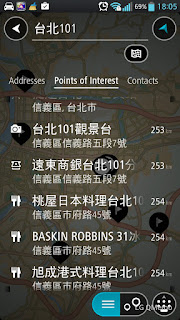
Recent destinations and My Places in search results
You will now see your recent destinations and saved places listed in search results.
TomTom Traffic Geo Expansion (GO only)
You can now receive real-time traffic updates in Greece and Hungary. Your device must be connected to TomTom Services.
Map correction reports can be submitted over the air (GO only)
You no longer need to connect your device to a computer to submit map corrections. Reports will be submitted over the air while your device is connected to TomTom. This ensures that TomTom can use the corrections as soon as possible to improve maps and services for all users.
Other bug fixes and improvements
Various performance improvements and bug fixes have been implemented.
2015年5月1日 星期五
[Nav4] Navcore v15.202 release
15版202
40 GO,GO 50,60 GO,GO 400,GO 500,GO 600,GO 5000,6000 GO,START GO 40 50 60
新功能MyDrive
您現在可以使用智能手機,平板電腦或計算機上查看實時路況信息,制定路線,或轉移目標到您的TomTom GO。欲了解更多信息和測試新功能,請訪問mydrive.tomtom.com。
您對您的目的地,或在MyDrive您的收藏夾的任何更改將立即傳送到您的TomTom設備。要做到這一點,你必須登錄與您的設備和MyDrive在同一個帳戶。*
從利益共同體點您的TomTom設備上導入文件
我們考慮到了您的許多要求此功能。現在,您可以使用您的計算機上MyDrive導入POI文件格式.ov2到您的TomTom設備上。在互聯網網頁MyDrive,點擊標籤頁我的目的地,Favourites ,並選擇導入POI。然後你導入的文件將根據我對你的TomTom設備上可用的目的地。*
瞬間打算在家中或工作場所從菜單中的路由
在家庭和工作場所將進入主菜單始終可用,這樣你就可以開始導航到這些頻繁的目的地更快。轉到我的目的地來配置家庭和工作場所。
根據您的喜好重新排列菜單
按住2秒要重新排序菜單圖標。然後,您可以使用箭頭所選擇的圖標移動到左邊或右邊的菜單上。
智能語音控制:選擇自己的句子激活
選擇你的個人才能激活並使用智能語音命令。要選擇一個句子的激活,去設置從主菜單,然後選擇語音命令。
其他bug修復和改進
幾個性能改進和bug修復已經作出。
2015年1月9日 星期五
[Navcore] Nav4 Version 14.600
無緣的nav4系列更新navcore了喔,目前功能更接近完整了!
Version 14.600
GO 40, GO 50, GO 60, GO 400, GO 500, GO 600, GO 5000, GO 6000, START 40, START 50, START 60
View list of navigation instructions
See a list of turn-by-turn instructions for your planned route. Select Current Route in the Main Menu, then selectShow Instructions.
Default changed to "Zoom in to next turn"
In the Settings menu, the default for Automatic zoom has been changed to Zoom in to next turn.
Restructuring of the Appearance Settings menu
The layout of the Appearance screen in the Settings menu has been improved.
Community POIs are under development and coming soon...
Other bug fixes and improvements
Various performance improvements and bug fixes have been implemented.
訂閱:
文章 (Atom)